.svg)

_converted.webp)
Three hours after launch, your report shows 2,000 impressions, 15 clicks, and $0 in spend. The campaign isn't broken: in ChatGPT Ads, impressions and clicks update almost immediately, while spend appears with a delay of up to 7–8 hours.
Reporting here looks familiar, but it has its own rules: delays, attribution windows, and view-through conversions. Below, we cover which metrics are available, how to read them, and how to evaluate your first test step by step.
Where to find the data
In Ads Manager, results are available by campaign, ad group, and individual ad in three views:
- a table, for comparing campaigns, ad groups, and ads;
- charts, for tracking trends over time;
- CSV exports, for your own analysis.
You can edit campaigns directly from the table, including in bulk.
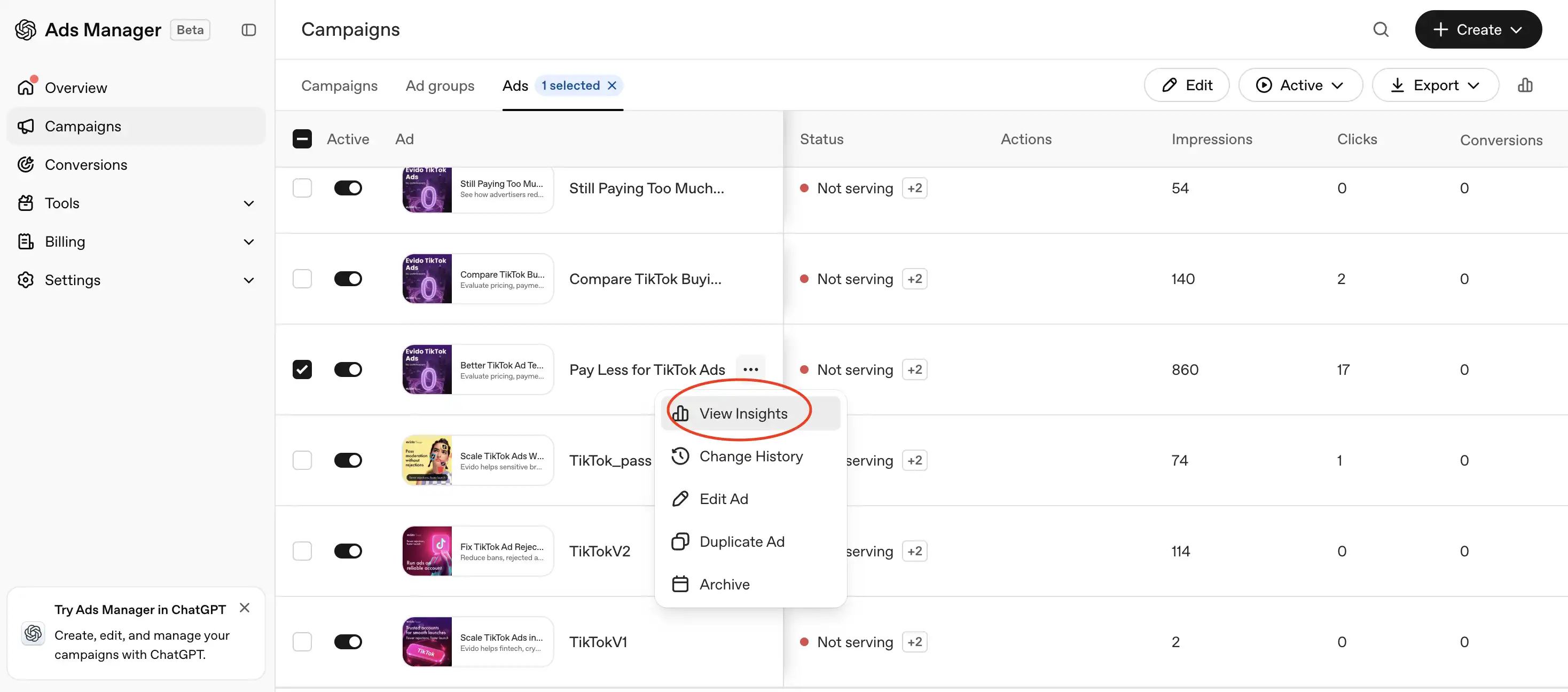
Which metrics are available and what they show
An empty metric value means it can't be calculated, not that it equals zero. For example, CPA will be empty when there are no conversions.
How conversions are counted
Conversions in reports are the sum of two types:
- post-click: an action within 7, 14, or 30 days after a click, 30 by default;
- view-through: an action within 1 day after an impression without a click; this window can be turned off.
If an action qualifies for both windows, it's credited to the click. The windows affect conversions, revenue, CPA, ROAS, and post-click CVR. They don't affect impressions, clicks, or spend.
By default, a conversion is attributed to the day of the impression or click, not the day of the action itself. So conversions for last week may keep appearing in reports for several more days.
Conversions are only counted from the moment an event is linked to a campaign. We cover how to set this up in the article here.
Data delays
Impressions and clicks update roughly every 15 minutes, while spend appears with a delay of up to 7–8 hours. So zero spend in the first hours after launch doesn't mean the campaign isn't spending.
A few more rules:
- CPC and CPM are based on finalized data and may update later. The latest spend divided by the latest clicks may not match the CPC in the report.
- Conversions are processed once a day. Don't expect them before the next day.
- Data for the current day and month is incomplete. Don't compare it with closed periods.
- Hourly data is kept for about 30 days, while daily and monthly data is kept for 365 days.
UTMs and end-to-end analytics
You can add UTM parameters to links so that ChatGPT Ads traffic shows up correctly in your analytics. Parameters can be dynamic: they can insert the campaign, ad group, and ad IDs, as well as the OpenAI click ID (oppref), which is needed for conversion attribution via the Conversions API. For mobile apps, there are integrations with AppsFlyer and Adjust.
Numbers in Ads Manager and GA4 will almost never match. Here's why:
- Ads Manager counts view-through conversions, while your analytics doesn't;
- the systems use different attribution windows and date attribution rules;
- some users decline cookies or block trackers;
- clicks from the ChatGPT iOS app open in the in-app browser.
Compare trends and proportions between campaigns rather than absolute numbers.
How to evaluate your first test
Evaluate results step by step. Each step only makes sense if the previous one checks out.
- Are there impressions? If there are no impressions, the problem lies in statuses, review, budget, or targeting, not the creative.
- What's the CTR by ad group? A low CTR with a normal number of impressions suggests that the hints and the ad describe different situations.
- How does CPC compare with your plan? If clicks cost more than you budgeted, check relevance first, then your bid.
- What's the post-click conversion rate? If there are many clicks but few conversions, the problem is more often the landing page than the ad.
- How do CPA and ROAS compare with other channels? This is the final question of the test.
ChatGPT Ads doesn't have benchmarks yet, as OpenAI states directly in its help center. For reference: in our first test in Cyprus, CTR was 0.64% and the average CPC was $1.63. This is data from one market and one creative, not a norm.
Common mistakes in reading the data
- Drawing conclusions from the first hours. Spend hasn't caught up yet, and conversions haven't been processed.
- Comparing unequal periods. An incomplete current day against a closed week.
- Making several changes at once. If you change the bid and the hints on the same day, you won't know what worked.
- Reading CPA without considering the window. View-through conversions make CPA look lower than what your analytics shows.
What to do with the data
A ChatGPT Ads report answers one main question: in which conversations your ad fits. Ad groups with high CTR show which situations you described accurately. Scale those, and rewrite the rest.
Want to try ChatGPT for your business? Leave a request on our website.

.jpg)

_converted.webp)
_converted.webp)